A Walk Through My Setup
7 min read · 1,428 words
I've published my dotfiles over on my GitHub, but I thought I would walk anyone interested through my setup and some of the thought processes that led to my decisions.
This article was last updated on 2026 March 05.
Claude
I'm going alphabetically here, and of course the first item on the list has the most complex config.
Commands
clean-copy
Compares the current branch against a dev/staging branch, then creates a "perfect" git commit history. No more commits like update thing, make some changes its prettier now, or fuck you. The clean copy command will reorganize everything into neat changes, as well as "flatten" the commits so random committed edits in a single file get merged together into one commit.
commit
Creates one or more commits (depending on how many unstaged changes) detailing what was done in these commits. It uses prefixes like feat:, fix:, etc. to keep things nice and orderly.
create-issues
Takes a spec file and breaks it down into atomic linear issues, with proper tagging, blocking, and priority included.
decompose-spec
Breaks down a SPEC.MD file into a detailed, atomized workplan for agents to follow. Tasks are grouped by the eponymous workplans that can be run in parallel.
done
Generates a handoff document summarizing the current session and saves it to the handoffs directory in my Obsidian vault.
Handoff document contains the following:
- Generated session title
- Current date, working directory, and git branch
- 1-3 paragraph summary of what was accomplished and why
- Key decisions and rationale
- List of files modified and brief per-file summary of modifications
- Follow-ups
- Open questions
- Any additional notes
Since I am moving at the speed of light, it gets a bit hard to keep track of what I did and why. I've found this greatly helps me when I need to go back and reference changes I (or moreso, my agents) have made.
I also instructed Claude to use alternate checkboxes for the follow-ups.
generate-docs
Does a deep-dive of the code and generates detailed documentation. Includes proper API routes/API usage examples, component trees, flows, etc.
Honestly a lifesaver for quickly learning about an unknown codebase.
pr
Generates a pull request. Nothing much more to say about this one.
proofread
Proofreads a text for grammatical errors and corrects any issues while preserving the original writing style.
spec-interview
My fucking bread and butter. Stole this one off I believe 𝕏, the everything app.
You describe a feature you want to build, then Claude will deep-dive the codebase before asking you a metric fuckton of questions regarding implementation. After you're finished enduring Claude's barrage of questions, it will spit out a SPEC.MD file detailing requirements, tech design, UI/UX, error handling, etc., etc.
This is by-far my most-used command, it really is incredible at drilling down all the minute little details about a plan that one doesn't think about until they actually start implementing.
I've been playing around with this for some of my larger implementations as a part of my exploratory Claude Code usage, and I've seen great results from it. It manages to handle agents in a way where context isn't totally shot in the foot, and it greatly reduces the amount of manual directing I have to do for each agent. I just plop open a new claude --dangerously-skip-permissions (because if you're not skipping perms then what ARE you doing), and tell it to work on "workplan n". It will automatically spin up the agents needed to do the task, after which I'll open it in Codex to verify the implementation succeeded, then hit the codebase with a /commit and move on to the next workplan.
writing-critique
Critiques a piece of writing. Suggests improvements for word choice, sentence rhythm, show vs tell, etc.
I use it heavily in my creative writing.
Plugins
code-simplifier
The default Anthropic plugin. Does as the name suggests.
superpowers
Gives Claude superpowers. Used in conjunction with my spec-interview and decompose-spec commands, it turns Claude into a fucking beast. TDD, code verification, code simplification, and more. Love this plugin to death.
Skills
frontend-aesthetics
The default Anthropic skill. I honestly just use Gemini-3-Pro or GPT-5.2-Codex for my frontend work now.
pre-pr-cleanup
Before creating a PR, it will clean up all the dead code and unused artifacts, abstract and refactor the code, and clean up any random quality issues it finds.
verify
Verifies a workplan or spec is properly implemented.
write-pr
Writes a PR in the format <type>(<scope>): <description> and adds an appropriate description.
Statusline
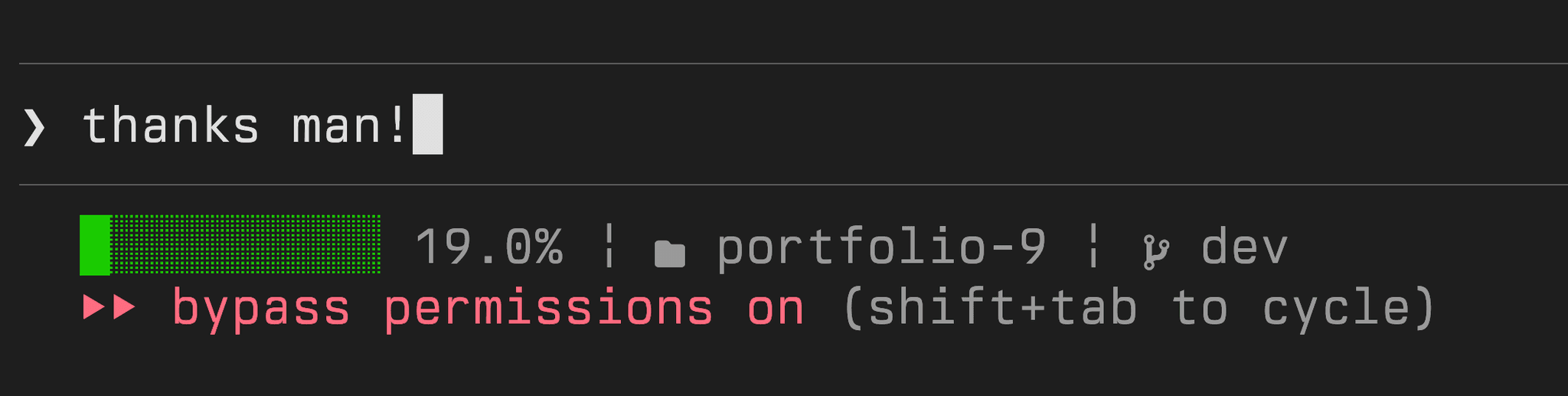
Displays context, working directory, and current git branch.
Fish
Fish is a really cool shell that I use primarily for its autocomplete functions.
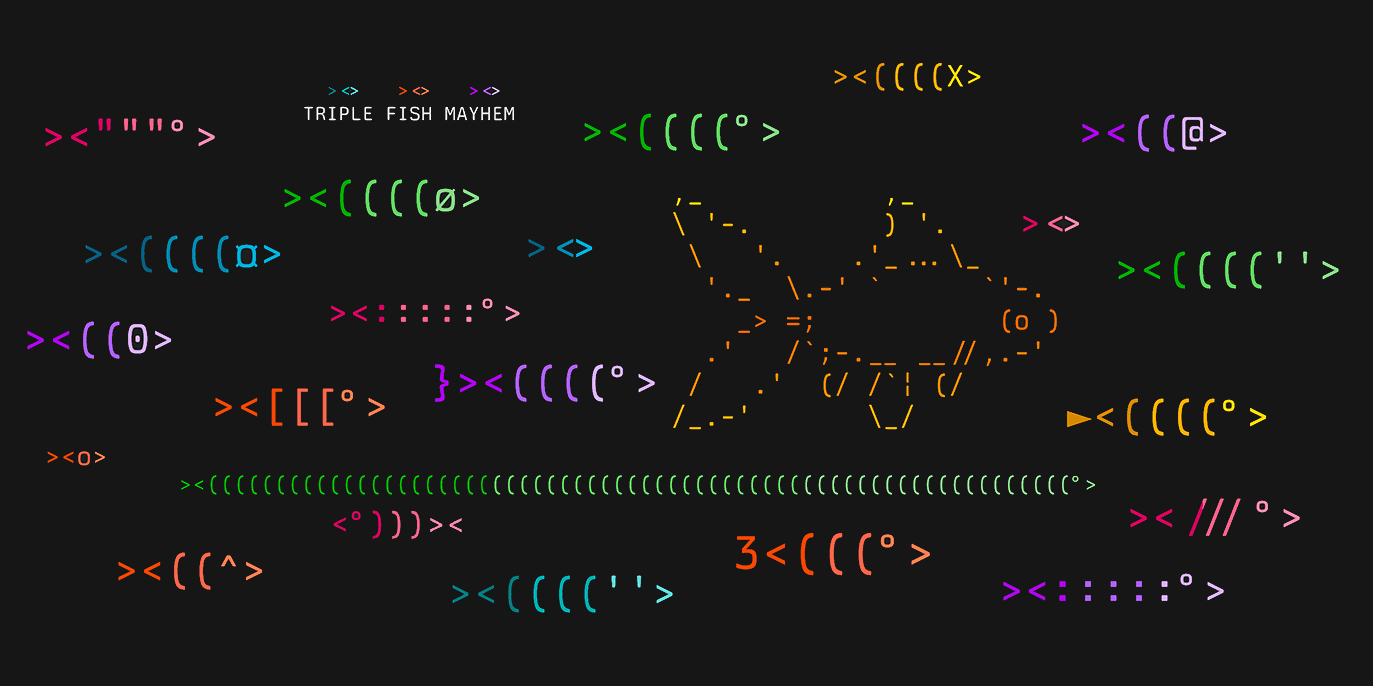
I have done little to configure it outside of making its color scheme look more like zsh and having the greeting be a random ASCII fish. (I even have rare fish that will occasionally show)
Listed below are some of my custom aliases and commands for fish.
- clauded alias for claude --dangerously-skip-permissions
- config alias for the git repo for my dotfiles config
- mkcd custom command that does mkdir -p for a directory and cds into it
- lg alias for lazygit
- update-dotfiles alias forsh ~/.config/update-dotfiles.sh
- :q and :qa! quits the shell and closes the terminal window
Kitty
Honestly, I just started using Kitty the day I began writing this article. I fucking love it though.
It's using TX-02 as its font, with some custom coloring, a slightly transparent background, and maxed-out background blur. Chevroned tab bar up at the top, and 6pt padding on all sides but the top.
Neovim
Yeah I lied about Claude Code. My Neovim setup is probably the most complex.
I won't go through every item since we would be here a while, but this is some of the more notable stuff.
Plugins
- Conform: Formats code on save
- Git-Blame: Git blame in the cursorline
- LazyGit: Git integration. Funny story, first time my coworker saw me use it he exclaimed "WHAT THE FUCK IS THAT?". He is a Cursor user.
- NeoTree: File explorer
- Nvim Cursorline: Highlights the current line (like VS Code)
- Nvim Cutlass: Delete without yanking (a fuckin lifesaver I hate vim's default yank behavior)
- Nvim UFO: Fold codeblocks
- Sunglasses: Dim inactive windows/panes
- Windsurf: Tab completion
Keybinds
All keybinds prefixed by the leader key (space)
- w-<direction> jump to window in direction
- wq close window
- ee refresh current buffer (equivalent to :e!)
- ef reveal file in NeoTree
- oc open Claude Code
- od open Claude Code (dangerously skip permissions)
- oo open OpenCode
- ot open a new Terminal
I also have set up (without leader) ⌥j and ⌥k to move lines/blocks of code up and down
OpenCode
Literally the same as Claude Code. Occasionally I'll open one of them and tell it to copy over my Claude Code config to OpenCode.
By default I have bash commands on "ask for permission", with a gratuitous "always" whitelist.
Update Dotfiles
I have a custom command set up to update and push my dotfiles to GitHub. Originally, this was an alias called config that I had created (stolen from the Interwebz) that acted as an alias to a git project for my config stuffs. I got tired of calling the config command to update specific files, so I created a shell script to do it. Ahh, the wonderous update-dotfiles.sh.
Eventually, I got tired of having to run sh ~/.config/update-dotfiles.sh, so I added a ZSH alias to make it just update-dotfiles.
All the command does is add certain whitelisted files to the git repo, commit with an optional commit message, and push. Why? Because programmers are lazy.
Misc Apps
I've also got some random apps I heavily use in my setup that I'd like to share:
- CodexBar: Shows current Claude Code usage and limits in the menu bar
- Dzen: Play background sounds from your menubar
- FineTune: Windows' volume mixer, but for macOS. Also allows volume over 100% and EQ
- Ice: Menu bar icon manager. I like it more than HiddenBar, but I honest to God cannot remember what made me switch
- LeaderKey: A really quick keybind-based launcher
- MeetingBar: Show upcoming meetings in your status bar
- MonitorControl: Control external monitor brightness with your Mac's brightness keys
- Raycast: A supercharged launcher/command palette. The mileage I get out of this thing, lemme tell you
- Shortcat: Vim motions for any app
- Thock: Mechanical keyboard sounds for your Mac. I use the NovelKeys Cream setting
- Tree: A simple tree command. Why does Mac not default have this?